


BandLab has made music production more accessible than ever. With a browser-based digital audio workstation, built-in effects, and cloud collaboration, it allows anyone to start recording rock music in minutes. Yet many users notice a frustrating issue: their rock songs often sound thin, muddy, or “cheap” compared to professional releases. The problem usually isn’t the genre, and it’s rarely just the platform—it’s how the tools are being used.
TLDR: BandLab rock songs often sound low quality because of poor gain staging, excessive compression, weak guitar tone shaping, improper mixing balance, and overuse of default presets. The platform itself is capable of solid results, but it requires disciplined production techniques. Fixing input levels, EQ structure, drum processing, and mastering chains can dramatically improve clarity and punch. With better workflow and attention to detail, BandLab can produce professional-sounding rock tracks.
Why Rock Songs on BandLab Often Sound Low Quality
Table of Contents
Rock music is particularly demanding. Unlike electronic or acoustic genres that rely heavily on controlled samples, rock relies on real-sounding energy: distorted guitars, aggressive drums, thick bass, and powerful vocals. When even one of these elements is poorly captured or mixed, the entire production feels amateur.
The most common causes include:
- Clipping or low input levels during recording
- Over-compressed drums and guitars
- Muddy low-end frequencies
- Stock presets used without adjustment
- Poor stereo imaging
Understanding these issues is the first step toward resolving them.
Fix #1: Correct Your Gain Staging From the Start
One of the biggest mistakes beginners make in BandLab is recording too hot (clipping) or too quiet. Rock guitars especially are prone to distortion that stacks in unpleasant ways when input levels are too high.
Proper gain staging means:
- Recording at -12dB to -6dB peak levels
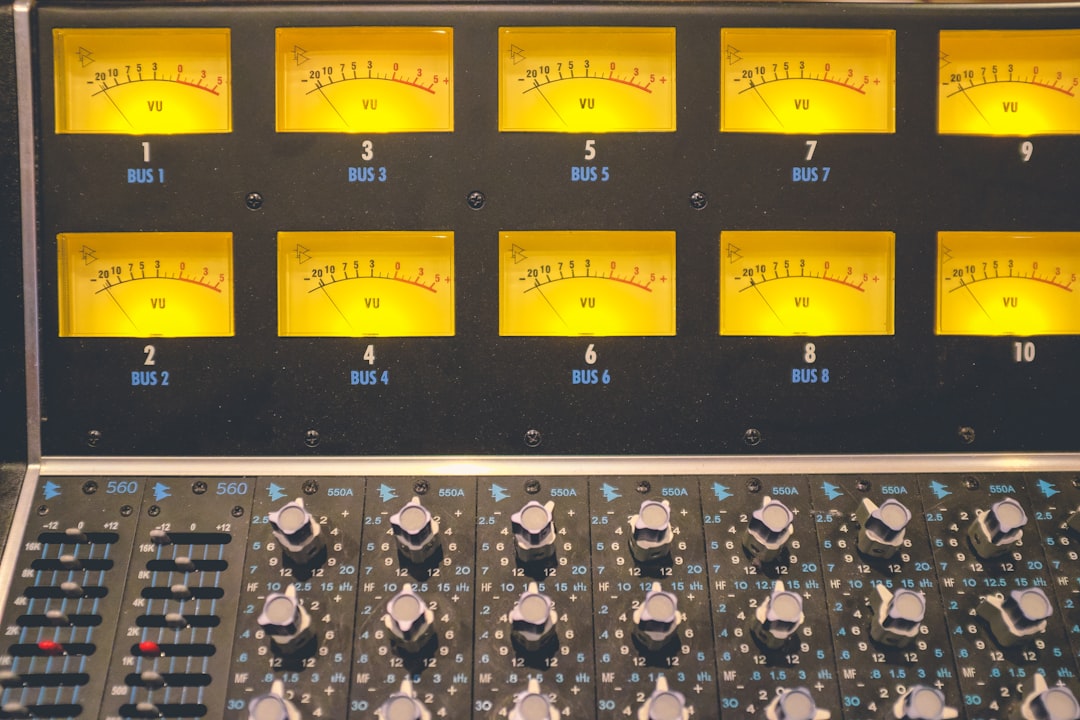
- Avoiding red indicators on track meters
- Leaving headroom for mixing and mastering
If your raw tracks already sound distorted before effects are added, the mix will never recover.
Professional tip: Turn your amp simulator gain lower than you think you need. Heavy tone comes from layered guitars, not from maxed-out distortion knobs.
Fix #2: Stop Relying on Default Presets
BandLab’s built-in presets are convenient, but they are generalized. Rock is not a one-size-fits-all genre. A “Rock Guitar” preset may work for classic rock but sound harsh for modern alternative or metal.
Common preset problems:
- Too much high-end boost (harsh fizz)
- Scooped mids that remove body
- Overwhelming reverb that blurs detail
- Compression that crushes dynamics
Instead of loading presets and moving on, treat them as starting points.
Recommended adjustments:
- Cut low frequencies under 80–100Hz on guitars
- Slight mid boost around 800Hz–1.5kHz for presence
- Reduce reverb decay for tighter mixes
- Use compression sparingly on distorted guitars
Rock thrives on midrange energy. If your track sounds hollow or weak, the issue often lies in overly aggressive EQ scooping.
Fix #3: Clean Up the Low End
Muddy low-end is one of the clearest signs of amateur mixing. In rock music, the kick drum and bass guitar must work together—not fight each other.
Low-quality mixes often happen because:
- Every instrument contains bass frequencies
- No high-pass filters are used
- Bass and kick overlap excessively around 60–120Hz
To fix it:
- High-pass guitars at 80–120Hz
- High-pass vocals at 80–100Hz
- Boost kick at 60–80Hz and cut slightly at 250Hz
- Let bass dominate 80–120Hz depending on style
Clarity in rock music comes from separation. If everything has low frequencies, the mix collapses into mud.
Fix #4: Improve Drum Presence and Punch
Weak drums instantly signal low production value in rock tracks. Many BandLab users rely on default drum kits without processing them further.
Typical drum problems in BandLab rock songs:
- Flat-sounding snare
- Kick lacks punch
- Cymbals too loud and harsh
- No room ambience
Better drum approach:
- Layer snare with a subtle clap or sample
- Add subtle parallel compression to drum bus
- Boost attack frequencies (3–5kHz) on snare
- Add a small room reverb for space
Parallel compression—blending a heavily compressed drum signal underneath the original—adds thickness without killing dynamics.
Important: Avoid crushing the entire mix bus just to make drums feel louder. That leads to distortion and listener fatigue.
Fix #5: Master the Track Properly (Without Overdoing It)
Many BandLab users apply heavy mastering presets in hopes of professional loudness. Unfortunately, this often reduces quality instead of improving it.
Common mastering mistakes:
- Excessive limiting
- Overuse of stereo widening
- Heavy multiband compression
- Over-bright EQ boosts
Rock music benefits from controlled loudness, not maximum loudness.
Better mastering basics:
- Light bus compression (1–2dB gain reduction)
- Small EQ tweaks only if necessary
- Limiter set to -1dB ceiling
- Integrated LUFS around -10 to -8 for modern rock
If the mix is strong, mastering should feel subtle. If you are trying to fix major issues in mastering, the problem lies in the mix.
Comparison Chart: Tools for Improving Rock Audio in BandLab
If you are serious about improving quality, combining BandLab tools with focused techniques makes a difference.
| Tool Type | Purpose | Best Used For | Common Mistake |
|---|---|---|---|
| Parametric EQ | Shape frequency balance | Cleaning mud and harshness | Extreme boosts instead of subtle cuts |
| Compressor | Control dynamics | Vocals, bass, drums | Over compressing guitars |
| Limiter | Increase loudness safely | Final mastering stage | Chasing maximum loudness |
| Amp Simulator | Create guitar tone | Electric guitars and bass | Too much distortion gain |
| Reverb | Add space and depth | Vocals, snare, solos | Excessive decay and washiness |
Additional Professional Habits That Elevate Quality
Beyond technical fixes, serious improvements come from workflow habits.
1. Double-Track Rhythm Guitars
Record the same guitar part twice and pan one left and one right. This creates width and power that a single track cannot achieve.
2. Use Reference Tracks
Import a professionally mixed rock song into BandLab and compare levels, brightness, and low-end balance. This keeps your ears calibrated.
3. Take Breaks While Mixing
Ear fatigue leads to harsh high-end and over-processing. Step away and return with fresh ears.
4. Monitor on Multiple Devices
Test your mix on headphones, studio monitors, car speakers, and phone speakers. If it only sounds good in one place, it is not finished.
The Real Issue: Not the Platform, but Technique
It is easy to blame BandLab for low-quality rock songs. However, the reality is that most quality issues stem from:
- Poor recording technique
- Inexperienced mixing choices
- Overuse of effects
- Lack of understanding of frequency balance
BandLab, while simplified compared to high-end DAWs, is fully capable of producing strong rock mixes when handled correctly. Many independent artists have released commercially viable tracks using lightweight production tools.
The difference lies in discipline, critical listening, and restrained processing—not in expensive software.
Final Thoughts
Rock music exposes weakness in production more than many other genres. Distorted guitars, aggressive drums, and loud masters leave little room for technical mistakes. When BandLab rock songs sound low quality, the issue usually comes from gain problems, poor EQ decisions, preset dependence, muddy low-end management, or excessive mastering.
By correcting gain staging, customizing presets, cleaning up frequencies, enhancing drum punch, and mastering conservatively, you can elevate your recordings dramatically. Professional sound is less about owning advanced tools and more about understanding how to use the ones you already have.
When approached seriously and methodically, BandLab can deliver rock tracks that sound focused, punchy, and competitive. The platform is only as strong as the technique behind it.
