

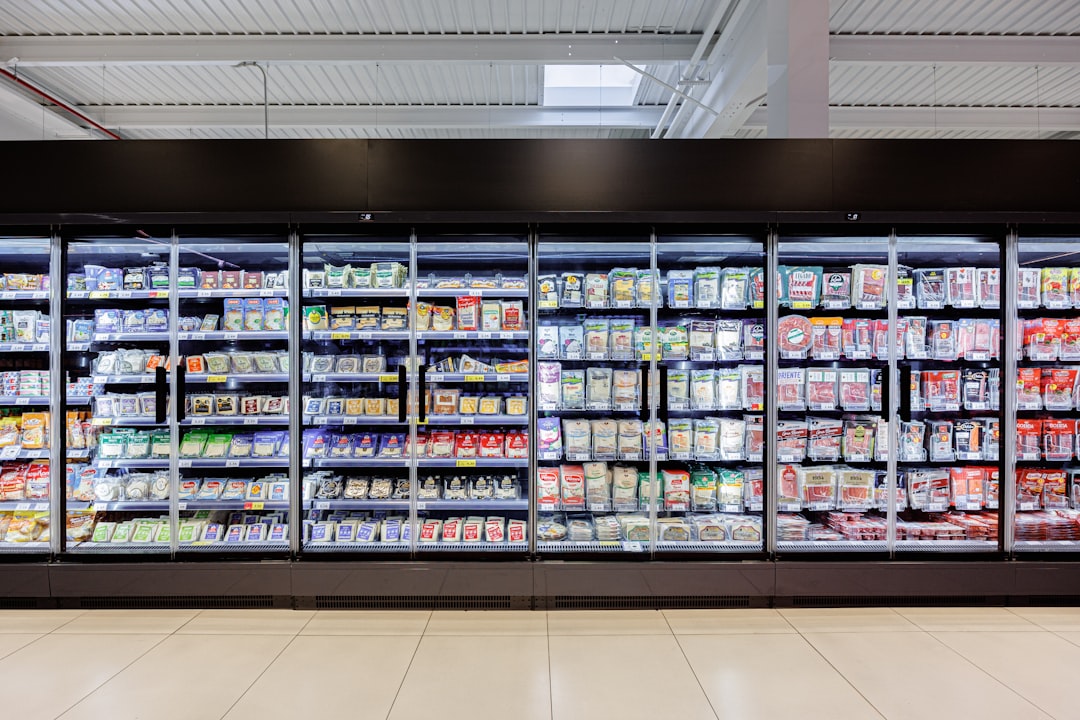
Retailers today operate in an environment where every inch of shelf space matters. From supermarkets and convenience stores to pharmacies and specialty shops, effective shelf planning can directly influence customer behavior, product visibility, and ultimately sales performance. That is where planogram design apps come into play. These digital tools help businesses visualize, optimize, and manage retail shelf layouts with precision and efficiency.
TLDR: Retail planogram design apps help retailers maximize shelf space, improve product visibility, and boost sales through smarter layout planning. Tools like SmartDraw, DotActiv, Repsly, and PlanogramBuilder offer features ranging from drag and drop design to advanced analytics and real time collaboration. Each solution caters to different business sizes and needs. Choosing the right app depends on budget, scalability requirements, and the level of automation desired.
Using modern planogram software allows retailers to move beyond guesswork and manual sketches. Instead, they can rely on data driven insights, real time collaboration, and visual merchandising strategies that align with customer behavior. Below are four retail planogram design apps similar to SmartDraw that help businesses optimize shelf layouts and boost in store performance.
Why Planogram Design Software Matters
Table of Contents
Before exploring specific tools, it is important to understand why planogram software is critical in modern retail operations.
- Increased Sales: Products placed at eye level or high traffic zones often generate higher sales.
- Improved Inventory Management: Accurate shelf mapping minimizes stockouts and overstocking.
- Brand Compliance: Standardized layouts ensure consistency across multiple store locations.
- Data Driven Decisions: Analytics provide measurable insights into product performance and space allocation.
With these benefits in mind, retailers are increasingly investing in intuitive design platforms that streamline layout planning and align merchandising with customer behavior.
1. SmartDraw
SmartDraw is widely known for its diagramming capabilities, and it offers robust tools tailored to retail planogram creation. Its user friendly interface and large template library make it accessible to both beginners and professionals.
Key Features
- Extensive planogram and retail templates
- Drag and drop functionality
- Integration with cloud storage platforms
- Collaboration tools for teams
What sets SmartDraw apart is its versatility. Retailers can create detailed shelf diagrams, store maps, and merchandising layouts without requiring technical expertise. The intuitive interface enables quick visualization of aisle flow and fixture arrangements.
However, businesses looking for advanced retail analytics or automated category management may need to pair SmartDraw with additional tools.
2. DotActiv
DotActiv is a highly specialized retail planogram solution designed for data driven merchandising and category management. Unlike general diagramming software, DotActiv is built specifically for optimizing retail shelf performance through analytics.
Key Features
- Advanced space planning tools
- Automated planogram generation
- Sales and performance analytics integration
- Cluster planning for multiple store formats
DotActiv focuses on helping retailers allocate shelf space according to sales data and profitability. The software can automatically recommend product placements based on performance metrics.
This makes it particularly useful for larger retail chains, supermarkets, and businesses with multiple store locations that require consistent but adaptable layouts.
3. Repsly
Repsly takes a slightly different approach by combining retail execution software with planogram compliance monitoring. While not exclusively a design tool, it plays a crucial role in ensuring that in store layouts are implemented correctly.
Key Features
- Mobile friendly interface for field teams
- Real time photo capture and reporting
- Planogram compliance tracking
- Performance analytics dashboards
Retailers can design layouts elsewhere but use Repsly to verify execution. Field representatives upload store photos to confirm planogram adherence, while managers analyze compliance metrics.
This approach bridges the gap between planning and execution, ensuring that well designed layouts translate into real world results. It is particularly beneficial for consumer packaged goods brands working across third party retail locations.
4. PlanogramBuilder
PlanogramBuilder is a cloud based solution created specifically for retail space planning. It offers a balance between ease of use and specialized retail functionality.
Image not found in postmetaKey Features
- Drag and drop shelf editing
- 3D visualization options
- Product library management
- Cloud sharing capabilities
This app is designed for small to medium sized retailers looking for an affordable but powerful planogram solution. The 3D views help visualize how shelves will look from a shopper’s perspective, enhancing merchandising decisions.
Its cloud based structure ensures team members can collaborate remotely, making it suitable for franchises and growing retail chains.
Comparison Chart
| Feature | SmartDraw | DotActiv | Repsly | PlanogramBuilder |
|---|---|---|---|---|
| Primary Focus | Diagramming and layout design | Data driven space planning | Planogram compliance | Retail shelf planning |
| Analytics Integration | Limited | Advanced | Strong compliance analytics | Moderate |
| Ease of Use | High | Moderate | High | High |
| Best For | Small to midsize retailers | Large retail chains | Brands with field teams | Growing retailers |
| 3D Visualization | No | Limited | No | Yes |
How to Choose the Right Planogram App
Selecting the right app depends on several factors. Retailers should evaluate their operational scale, data needs, and collaboration requirements.
1. Business Size
Small retailers may benefit from user friendly and affordable tools like SmartDraw or PlanogramBuilder. Larger chains often require DotActiv’s advanced analytics and clustering capabilities.
2. Data Integration Needs
If shelf space allocation must align closely with sales and margin data, advanced analytics functionality is essential. Tools with integrated reporting features provide long term strategic value.
3. Execution Monitoring
For brands working with multiple retail partners, compliance tracking tools such as Repsly help ensure consistent implementation.
4. Visualization Requirements
Retailers focused on visual merchandising may prioritize 3D design features to simulate the shopper experience.
The Future of Planogram Design
Retail technology continues to evolve with artificial intelligence, predictive analytics, and real time sales dashboards becoming integral to merchandising strategies. The next generation of planogram software is expected to offer:
- AI driven product placement recommendations
- Automated inventory synchronization
- Augmented reality shelf visualization
- Seamless omnichannel integration
Retailers who adopt smart planogram tools position themselves to respond quickly to shifting consumer trends and seasonal demand changes.
Conclusion
Effective shelf layout optimization is both a science and an art. Retail planogram design apps like SmartDraw, DotActiv, Repsly, and PlanogramBuilder empower businesses to make informed merchandising decisions. While SmartDraw provides intuitive diagramming capabilities, DotActiv delivers robust analytics for large scale retail. Repsly ensures compliance in the field, and PlanogramBuilder balances usability with specialized features.
By carefully assessing their operational needs, retailers can choose the solution that enhances product visibility, improves workflow efficiency, and ultimately increases profitability.
Frequently Asked Questions (FAQ)
1. What is a retail planogram?
A retail planogram is a visual diagram that shows how products should be arranged on shelves or displays to maximize sales and optimize space usage.
2. Are planogram apps suitable for small businesses?
Yes. Many planogram tools offer scalable solutions tailored for small and midsize retailers, providing affordable entry points and user friendly interfaces.
3. Do planogram apps integrate with POS systems?
Some advanced solutions integrate with point of sale and inventory systems to align shelf layouts with real time sales data. Integration capabilities vary by platform.
4. Can these tools help improve sales?
Yes. Data driven shelf optimization increases product visibility and encourages impulse purchases, which can lead to higher revenue.
5. Is 3D visualization necessary for planogram design?
While not essential, 3D visualization helps retailers better understand customer perspectives and improve visual merchandising strategies.
6. How often should retailers update their planograms?
Retailers typically update planograms seasonally or when introducing new products. High turnover categories may require more frequent adjustments.
