


Creating high-quality AI video tutorials requires more than just a good script and screen recording software. Today’s educators, marketers, and product teams are increasingly turning to specialized platforms like Kroto to streamline production, automate editing, and enhance viewer engagement. Before diving in, however, it’s important to understand how the platform works, what it offers, and whether it aligns with specific instructional goals. The following guide outlines six essential things to know about the Kroto app before creating AI video tutorials.
TLDR: Kroto is an AI-powered platform designed to simplify video tutorial creation through automation, smart editing, and workflow optimization. It offers features such as screen capture, AI voiceovers, and documentation generation. While it saves time and improves scalability, creators should understand its customization limits, pricing structure, and collaboration capabilities before investing. Evaluating these factors helps ensure it aligns with tutorial production goals.
1. Kroto Is Built for AI-Assisted Tutorial Creation
Table of Contents
Kroto is purpose-built for turning processes, walkthroughs, and product demonstrations into polished video tutorials. Unlike traditional video editors that require manual trimming, voiceover syncing, and captioning, Kroto integrates AI-driven automation to handle many of these tasks automatically.
Key AI-supported capabilities often include:
- Automatic step detection from recorded workflows
- AI-generated voiceovers
- Smart captions and subtitles
- Script-based editing
- Conversion of recordings into documentation
This automation makes Kroto especially useful for SaaS companies, onboarding teams, and educators who frequently create product tutorials or training materials. Instead of editing frame by frame, creators can refine videos using text-based controls and AI suggestions.
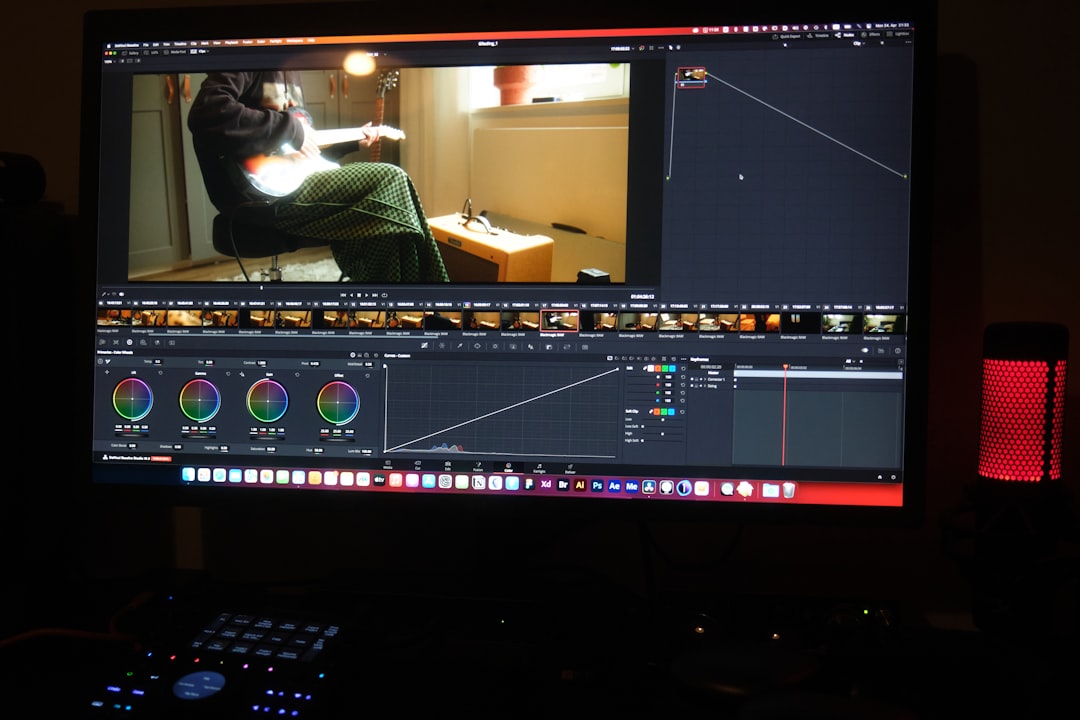
However, users should understand that AI automation works best when recordings are clear and organized. Structured workflows produce better results than unplanned screen captures. Creators who value efficiency over highly cinematic production will likely benefit the most.
2. It Focuses on Speed and Scalability
One of Kroto’s biggest advantages lies in speed of production. Businesses that need dozens—or even hundreds—of tutorials benefit from automation that reduces editing time dramatically.
Instead of:
- Recording a screen session
- Uploading to a video editor
- Manually trimming mistakes
- Adding subtitles and voiceovers
- Creating accompanying documentation
Kroto allows creators to complete much of that process within a single platform.
This makes it ideal for:
- SaaS onboarding libraries
- Customer support content
- Internal training modules
- Knowledge base video integration
That said, while speed is a major advantage, customization can be more limited compared to advanced video editing software like Adobe Premiere Pro or Final Cut. Teams should decide whether rapid scalability or deep creative control is the higher priority.
3. Collaboration Features Matter for Teams
For organizations creating AI tutorials at scale, collaboration tools are critical. Kroto typically includes multi-user access, shared workspaces, and review capabilities, which allow teams to iterate quickly.
Important collaboration considerations include:
- Role-based permissions
- Commenting and review workflows
- Version tracking
- Shared branding controls
Marketing departments and product teams especially benefit from centralized template control. By maintaining consistent intros, outros, fonts, and brand colors, they can ensure every tutorial aligns with brand standards.

However, smaller teams or solo creators may not need such robust collaboration tools. In those cases, evaluating whether pricing aligns with actual usage is important before committing to a subscription.
4. Pricing and Subscription Structure Should Be Evaluated Carefully
Like most AI-powered SaaS platforms, Kroto typically uses a subscription-based pricing model. Plans may vary based on:
- Number of users
- Video export limits
- Storage capacity
- Branding removal options
- Advanced AI feature access
Before choosing a plan, potential users should assess:
- How many videos will be created per month?
- Will videos require heavy customization?
- Is white-label branding necessary?
- How many collaborators will access the platform?
When compared with other tools in the AI tutorial creation space, Kroto may fall into a mid-range pricing category. Below is a simplified comparison chart highlighting how Kroto differs from other common solutions.
| Feature | Kroto | Loom | Camtasia | Descript |
|---|---|---|---|---|
| AI Step Detection | Yes | Limited | No | No |
| Text-Based Editing | Yes | No | No | Yes |
| Advanced Cinematic Editing | Basic | No | Yes | Moderate |
| Team Collaboration | Strong | Moderate | Limited | Moderate |
| Best For | Product tutorials | Quick sharing | Professional editing | Podcast style edits |
This comparison demonstrates that Kroto occupies a specific niche: AI-powered instructional content at scale. Companies needing marketing-grade cinematic content may still rely on traditional editors.
5. AI Voiceovers and Automation Save Time—but May Require Adjustments
Kroto’s AI voiceover technology enables fast narration without hiring professional voice actors. This can significantly reduce production costs and turnaround times.
Advantages include:
- Instant narration generation
- Multiple voice styles and accents
- Easy script updates without re-recording
- Automated synchronization
However, AI voices may occasionally sound less expressive than human narration. For highly emotional storytelling or brand-heavy campaigns, external voice talent might still be preferred.

In addition, script clarity becomes even more important. Since AI relies on written input, unclear scripts can result in awkward phrasing. Best practice involves reviewing scripts carefully before generating voiceovers.
6. It’s Optimized for Product Walkthroughs, Not Creative Storytelling
Kroto excels at transforming structured processes into tutorials. This makes it especially powerful for:
- Software demonstrations
- Feature releases
- Onboarding flows
- Help center videos
However, creators aiming to produce:
- Short films
- Advertisement campaigns
- High-concept branded storytelling
may find the platform limiting.
Kroto’s design emphasizes clarity, functionality, and efficiency over cinematic creativity. Understanding this distinction prevents disappointment and ensures proper expectations before subscribing.
Final Considerations Before Creating AI Tutorials with Kroto
Before committing to Kroto, potential users should test the workflow through a trial version, if available. Evaluating ease of use, AI accuracy, and editing flexibility in real scenarios provides valuable insight.
They should also consider:
- Integration with existing tools (CRM, LMS, help desk software)
- Export formats and quality options
- Hosting and embedding capabilities
- Data security and compliance requirements
Ultimately, Kroto stands out as a practical solution for organizations prioritizing speed, repeatability, and consistency in AI-powered tutorial production. Used strategically, it can drastically reduce production time while improving documentation quality.
Frequently Asked Questions (FAQ)
1. Is Kroto suitable for beginners?
Yes. Kroto is designed to reduce technical complexity, making it accessible to non-editors. Its AI-driven workflow simplifies video production, although some basic comfort with screen recording and scripting is helpful.
2. Can Kroto replace professional video editing software?
For product tutorials and training content, it often can. However, for cinematic marketing projects or complex visual storytelling, traditional editing software may still be required.
3. Does Kroto support team collaboration?
Yes. It typically includes shared workspaces, commenting systems, and permission controls, making it suitable for cross-functional teams.
4. Are AI voiceovers customizable?
Most AI voiceovers allow selection of voice styles and accents. However, emotional nuance may be more limited compared to human voice talent.
5. How does Kroto compare to Loom?
Loom focuses primarily on quick screen sharing and communication. Kroto, by contrast, emphasizes AI-powered editing and structured tutorial production.
6. Is Kroto good for large enterprises?
It can be, especially for companies producing large tutorial libraries. Enterprise suitability depends on collaboration needs, security compliance, and scalability requirements.
By understanding these six critical factors, creators and organizations can make informed decisions and determine whether Kroto is the right solution for their AI video tutorial strategy.
