

Video content has become the backbone of digital communication, from social media reels to corporate training modules and full-scale online courses. As audiences grow more global and platforms prioritize accessibility, captions are no longer optional—they’re essential. That’s where subtitle editing apps like Rev step in, making it easier than ever to generate, customize, and publish accurate captions without spending hours on manual transcription.
TLDR: Subtitle editing apps like Rev use AI-powered transcription and intuitive editing tools to help creators generate and refine captions quickly. These platforms improve accessibility, boost engagement, and save significant time compared to manual subtitling. Many tools also offer collaboration features, translation options, and export formats for different platforms. Choosing the right app depends on your budget, accuracy needs, and editing workflow.
Why Captions Matter More Than Ever
Table of Contents
Captions do much more than display spoken words on a screen. They:
- Improve accessibility for people who are deaf or hard of hearing.
- Increase viewer retention on social media, where videos often autoplay without sound.
- Boost SEO by making video content searchable.
- Support multilingual audiences through translation and localization.
Studies consistently show that videos with captions achieve higher watch times and engagement rates. For brands, educators, and content creators, that translates directly into better results. But manually typing and syncing subtitles can take hours for even short videos. Subtitle editing platforms eliminate that friction.
How Subtitle Editing Apps Like Rev Work
Platforms like Rev combine artificial intelligence with human-friendly editing interfaces to drastically accelerate the captioning process.
Here’s a typical workflow:
- Upload your video or audio file.
- The app automatically generates a transcript using speech recognition.
- The transcript syncs to your video timeline.
- You review, edit, and format captions.
- Export in your preferred file format (SRT, VTT, TXT, etc.).
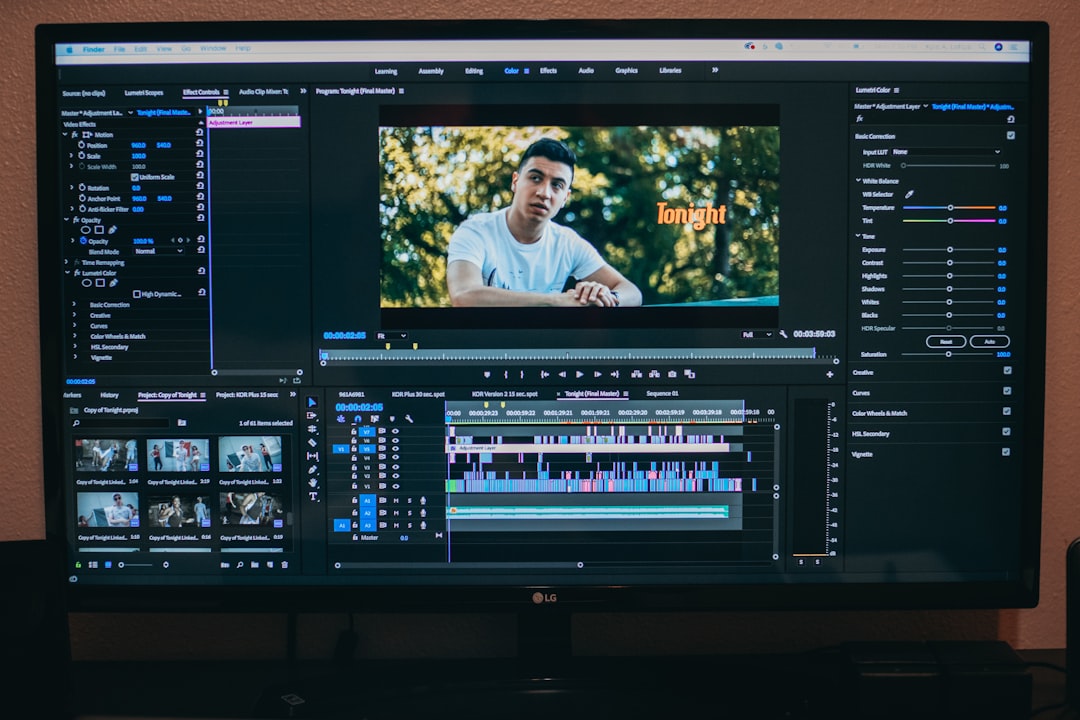
Most tools allow you to click directly on a word to jump to that point in the video. This synchronization eliminates guesswork and speeds up corrections. Instead of constantly rewinding and replaying, you can refine captions with precision.
Top Subtitle Editing Apps Like Rev
While Rev is one of the most well-known names in transcription and captioning, several other tools offer competitive features. Below are some of the most popular options available today.
1. Rev
Rev offers both AI-generated transcripts and human-reviewed captioning services. It’s known for its high accuracy rates and clean editing dashboard.
- AI and human transcription options
- Fast turnaround times
- Multiple export formats
- Enterprise-level security
2. Descript
Descript combines audio and video editing with transcription. It allows users to edit video by editing text, making it extremely powerful for podcasters and content creators.
- Edit media by editing text
- Screen recording tools
- Overdub voice cloning feature
- Real-time collaboration
3. Otter
Otter focuses heavily on meeting transcription but also supports video caption generation. It’s popular among teams and educators.
- Live transcription
- Speaker identification
- Cloud storage integrations
- Collaborative comments
4. Kapwing
Kapwing is an online video editor that includes subtitle generation and styling features, making it ideal for social media creators.
- Browser-based editing
- Customizable subtitle styles
- Auto-subtitle generation
- Direct publishing options
5. VEED
VEED offers automatic subtitling along with branding tools and video editing capabilities.
- One-click subtitles
- Translation tools
- Subtitle animations
- Team collaboration features
Comparison Chart
| Tool | Auto Transcription | Human Review Option | Editing Features | Best For |
|---|---|---|---|---|
| Rev | Yes | Yes | Precise sync editor | Professional captions |
| Descript | Yes | No | Text-based video editing | Content creators |
| Otter | Yes | No | Speaker detection | Meetings and education |
| Kapwing | Yes | No | Style customization | Social media videos |
| VEED | Yes | No | Subtitle animation | Marketing teams |
Key Features That Save You Time
Not all subtitle editors are created equal. The best ones offer advanced features that dramatically reduce editing time.
1. Automatic Speech Recognition (ASR)
AI transcription is the engine behind fast subtitling. Modern ASR systems can achieve high levels of accuracy, especially with clear audio.
2. Timeline Synchronization
Word-by-word syncing allows you to correct errors without having to manually adjust timestamps.
3. Bulk Editing Tools
Some platforms allow you to:
- Find and replace text
- Adjust caption length globally
- Auto-correct punctuation
- Standardize formatting

4. Collaboration Features
Teams can comment, suggest edits, and finalize captions together. This is particularly useful for marketing departments and media production teams.
5. Multi-Language Support
Global audiences require translated subtitles. Many tools now offer instant translation features, although human review is recommended for high-stakes content.
When to Choose Human Transcription Over AI
AI is fast, but it’s not perfect. You may want human-reviewed captions if:
- The audio quality is poor.
- There are heavy accents or technical jargon.
- Legal or medical accuracy is critical.
- Your content will be broadcast on television.
Rev, for example, offers both automated and human transcription services, giving users flexibility depending on the project’s sensitivity and budget.
Subtitle Formatting Best Practices
Generating captions is just step one. Proper formatting ensures readability and professionalism.
- Keep captions under two lines whenever possible.
- Limit characters per line to improve readability.
- Sync captions naturally with speech pauses.
- Avoid blocking key visuals in your video.

Subtitle editing apps simplify these tasks by automatically segmenting text and allowing drag-and-drop adjustments to timing.
How Captions Impact Engagement and ROI
For businesses, faster caption generation isn’t just about convenience—it’s about results.
Benefits include:
- Higher social media completion rates
- Improved ad performance
- Better accessibility compliance
- Expanded international reach
When captions are produced quickly, teams can publish content faster, respond to trends in real time, and maintain consistent output. Time savings directly translate into a competitive advantage.
Choosing the Right App for Your Workflow
Before selecting a subtitle editing platform, consider the following:
- Volume of content: Do you produce videos daily or occasionally?
- Budget constraints: Is human review necessary for every upload?
- Collaboration needs: Do multiple team members need access?
- Distribution channels: Which export formats do you require?
Freelancers may prefer lightweight, browser-based tools like Kapwing or VEED, while agencies and enterprises might lean toward Rev for its scalability and human accuracy options.
The Future of Subtitle Editing
AI continues to evolve at a rapid pace. In the near future, we can expect:
- Near-perfect real-time transcription
- Automatic tone and emotion detection
- Smarter translation systems
- Deeper integration with video hosting platforms
As these innovations develop, the barrier between content creation and accessibility will continue to shrink. Captioning will become a seamless part of every production workflow rather than an afterthought.
Final Thoughts
Subtitle editing apps like Rev have transformed what used to be a tedious process into a streamlined, efficient workflow. By combining AI transcription, user-friendly editing tools, and collaboration features, these platforms help creators produce polished captions in a fraction of the time.
Whether you’re a solo content creator, educator, marketer, or enterprise media team, investing in the right subtitle editing tool can dramatically improve both productivity and audience engagement. Faster captions mean faster publishing, broader accessibility, and better performance across every platform where your content lives.
