

With the evolution of mobile messaging, traditional SMS and MMS are gradually being replaced by more robust and flexible alternatives. One of the most important innovations in this space is Rich Communication Services (RCS), a more dynamic messaging protocol that enables advanced features such as high-quality media sharing, real-time typing indicators, and read receipts. As Samsung remains a dominant player in the Android ecosystem, many users wonder: Does Samsung Messages support RCS?
TL;DR: Yes, Samsung Messages does support RCS, but whether the feature is available to you depends on several factors including your mobile carrier, region, and device model. Samsung has partnered with Google and major carriers to integrate RCS into its stock messaging app. For the best RCS experience, however, Google Messages continues to be more widely supported and updated. If you want to ensure full compatibility, checking both your carrier and software settings is essential.
What is RCS and Why Is It Important?
Table of Contents
RCS is the next generation of text messaging intended to replace SMS and MMS. It was developed by the GSM Association as a response to the growing demand for richer communications similar to what platforms like WhatsApp and iMessage offer. Unlike traditional SMS, which is limited to text and relies on cellular networks, RCS operates over mobile data or Wi-Fi and supports:
- High-resolution image and video sharing
- Typing indicators and read receipts
- Group messaging with advanced features
- Direct interaction with businesses and services
For Android users, the integration of RCS deeply enhances their messaging experience, bringing it closer to the seamlessness enjoyed by iPhone users through iMessage.
Samsung Messages and RCS: The Current State
Samsung, being one of the largest smartphone manufacturers in the world, recognized the importance of RCS early on. As such, its default messaging app, Samsung Messages, has gradually incorporated RCS capabilities. But the support landscape isn’t uniformly straightforward.
As of 2024, RCS support in Samsung Messages depends on the following key factors:
- Your mobile carrier: Not all carriers support RCS, though most major ones in the U.S., Europe, and parts of Asia now do.
- Your smartphone model: RCS is supported on most Galaxy series phones released in the last 4–5 years, including Galaxy S, Note, Z Fold, and A series devices.
- Software version: You need to be running a relatively recent version of One UI and Android to access RCS features through Samsung Messages.
- Region-specific availability: Some countries may not have complete RCS infrastructure due to regulatory or technological limitations.
How to Check If Samsung Messages Supports RCS on Your Device
To determine whether RCS is active on your Samsung device, follow these steps:
- Open the Samsung Messages app.
- Tap the three-dot menu in the upper right corner and select Settings.
- Look for a section labeled Chat Settings or Advanced Messaging. If you see this, your device likely supports RCS.
- Ensure that both Chat features and Auto-download MMS are enabled.
- Your device may also display status messages like “Connected” or “RCS is ready” under Chat Settings.
If those settings are missing, your carrier may not support RCS integration with Samsung Messages, or you may need to update your software.
Samsung’s Partnership with Google for RCS
While Samsung has its own messaging app, it has also partnered with Google to improve RCS adoption. In fact, many carriers and Android OEMs now default to Google Messages as the main RCS-capable app because of its wider compatibility and centralized updates.
In 2020, Samsung even allowed Google Messages to become the default messaging app on many newer Galaxy phones in some regions. This was done to ensure full and uninterrupted support for RCS across all Android devices. Samsung Messages still supports RCS, but the evolution of Google Messages plays a crucial role in the overall ecosystem.
If RCS support is essential for your daily communication, you might want to consider switching to Google Messages to ensure consistent performance across networks and devices.
Differences Between Samsung Messages and Google Messages
Though both apps support RCS, there are differences in implementation, features, and visual layout. Here’s a comparison:
| Feature | Samsung Messages | Google Messages |
|---|---|---|
| RCS Support | Carrier-dependent | Carrier-independent (through Google’s servers) |
| Design | One UI styling | Material You design |
| Feature Updates | Updated with system updates | Updated independently via Play Store |
| Web Messaging | Not available | Available via messages.google.com |
Google’s approach simplifies RCS handling by using its own Jibe platform, which does not rely on individual carrier implementation—ensuring broader compatibility across devices and regions.
Limitations and Troubleshooting
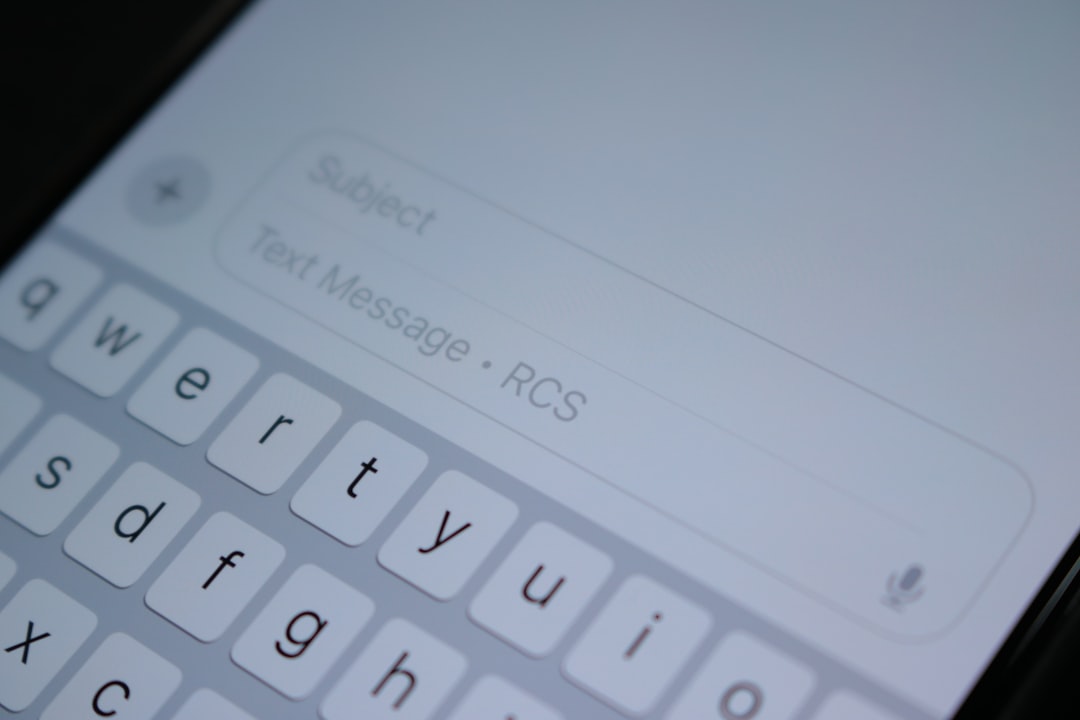
Despite its advances, RCS is not bulletproof. Some users have reported the following limitations or issues when using RCS on Samsung Messages:
- Message delivery delays or failures in areas with poor data coverage
- Compatibility problems when chatting with users on unsupported networks or messaging apps
- Switching phones can sometimes cause RCS to misbehave or disconnect temporarily
If RCS stops working, restarting your phone, turning off and on the chat features, or switching to Google Messages can often solve the problem.
Is Samsung Phasing Out Samsung Messages?
There is ongoing speculation within the tech community that Samsung may eventually de-prioritize Samsung Messages in favor of Google Messages. Given the latter’s tighter integration with Google’s cloud infrastructure and its role in making RCS universal, it wouldn’t be an unprecedented move.
However, as of now, Samsung Messages is still a core part of Samsung’s One UI experience, especially in regions where carrier agreements and software customizations allow for full RCS support.
Conclusion: Is Samsung Messages a Good Choice for RCS?
Yes, but with caveats. Samsung Messages does support RCS, and for many Samsung users, it provides a smooth and native messaging experience. However, because of discrepancies in carrier support and Samsung’s reliance on external partnerships, the experience might not be as fluid or consistent as with Google Messages.
If all your contacts live within the Samsung ecosystem or use carriers that support RCS via Samsung Messages, you may never face an issue. But for guaranteed support and faster access to the latest features, using Google Messages may still be the safer option.
In a connected world where messaging reliability is paramount, understanding how your messaging app interacts with modern protocols like RCS can play a big role in making your digital conversations seamless.
