

Losing access to your PlayStation account can feel like losing access to your entire gaming world. Your digital library, saved progress, subscriptions, friends list, and even wallet balance are all tied to a single PlayStation Network (PSN) account. Fortunately, recovering your account is usually straightforward—if you know the right steps to take. Whether you forgot your password, got locked out, or suspect your account was hacked, this guide will walk you through the entire recovery process in a clear and practical way.
TL;DR: If you’ve lost access to your PlayStation account, start by using Sony’s official password reset page. If that doesn’t work, verify your identity using email, phone number, or security questions. For hacked or compromised accounts, contact PlayStation Support immediately and secure your email account as well. Enabling two step verification after recovery is essential to prevent future issues.
Common Reasons You Lose Access to Your PlayStation Account
Table of Contents
Before jumping into recovery steps, it’s helpful to understand why accounts become inaccessible in the first place. The most common causes include:
- Forgotten password
- Changed or lost access to email address
- Suspicious login attempts triggering a lockout
- Hacked or compromised account
- Violation of PlayStation terms resulting in suspension
Each scenario requires slightly different actions, but most begin with the same first step: attempting a password reset.
Step 1: Reset Your Password
If you simply forgot your login details, resetting your password is the fastest solution.

Here’s how to do it:
- Go to the official PlayStation account sign-in page.
- Click on “Trouble Signing In?”
- Select “Reset your password.”
- Enter the email address linked to your PSN account.
- Check your inbox for a password reset email.
- Create a new, strong password.
Tip: If you don’t see the reset email, check your spam or junk folder. Also ensure you’re entering the correct email address.
When creating a new password, make it strong and unique. Use a combination of:
- Uppercase and lowercase letters
- Numbers
- Special characters
Avoid reusing passwords from other websites.
Step 2: Recover a Hacked PlayStation Account
If your password reset doesn’t work—or if you notice suspicious activity such as changed email addresses or unexpected purchases—your account may have been compromised.
Signs of a hacked account:
- You receive a notification that your sign-in ID (email) was changed.
- Unauthorized purchases appear in your transaction history.
- Your password no longer works.
- Two step verification was disabled without your knowledge.

Immediate Actions to Take
- Reset your email password first. If hackers accessed your PSN account, they may also have access to your email.
- Attempt a PlayStation password reset.
- If the sign-in email was changed, contact PlayStation Support immediately.
When contacting support, be prepared to provide:
- Your online ID (PSN username)
- The original email tied to the account
- Recent transaction details
- Console serial number (if available)
The more information you provide, the easier it is to verify ownership and recover your account quickly.
Step 3: Recover Without Access to Email
Sometimes the issue isn’t hacking—it’s losing access to the original email address. This is common if:
- You changed email providers
- Your email account was deleted
- You forgot your email password and recovery options
In this situation, self-service password recovery may not work. Your best option is to contact PlayStation Support directly.
Be ready to verify:
- Date of birth on the account
- Recent purchases
- Last four digits of payment methods used
Providing accurate information significantly increases your chances of successful recovery.
What If Your Account Is Suspended?
Account suspension is different from losing access due to forgotten credentials or hacking.
There are two types:
- Temporary suspension – Usually due to policy violations or payment disputes.
- Permanent suspension – Issued for serious or repeated violations.
If suspended, you should have received an email explaining the reason and duration. In case of chargebacks (for example, disputing a PlayStation Store purchase through your bank), you may need to repay the balance before restoring access.
Appeals can sometimes be submitted through customer support, but outcomes depend on the nature of the violation.
How to Enable Two Step Verification After Recovery
Once your account is restored, securing it should be your top priority.
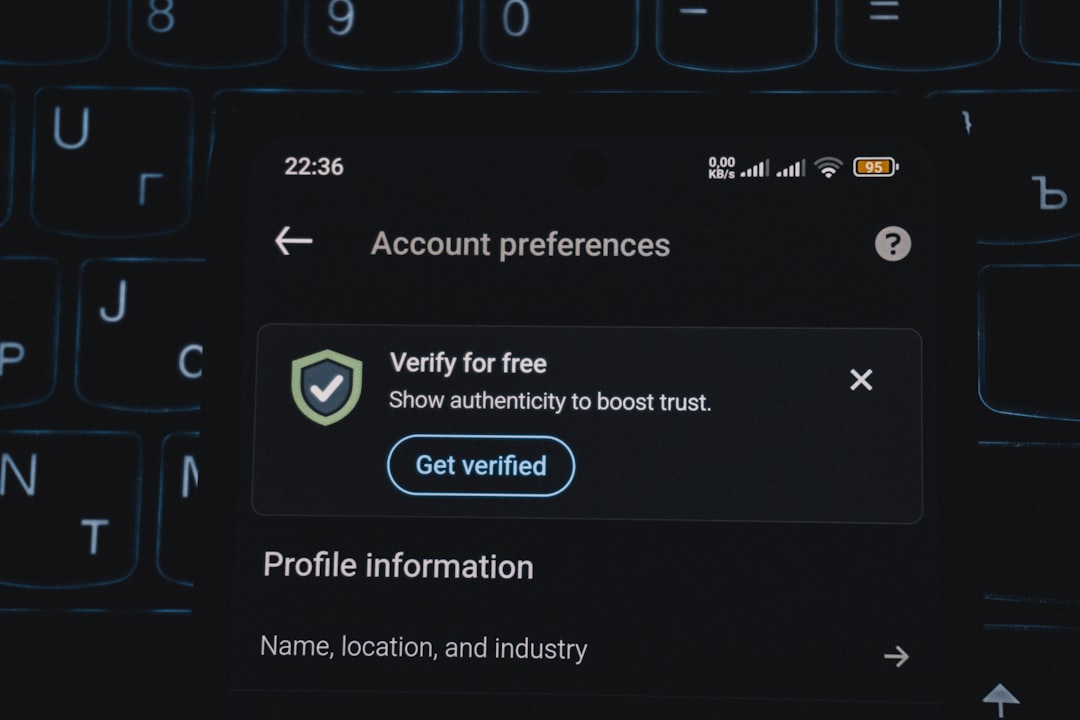
To enable two step verification (2SV):
- Sign in to your PlayStation account.
- Go to Security Settings.
- Select Two Step Verification.
- Choose text message or authenticator app.
- Confirm the verification code sent to you.
This adds an extra layer of protection by requiring a second code during sign-in—even if someone knows your password.
Authenticator apps are generally more secure than SMS.
Recovery Scenarios Comparison
| Scenario | Difficulty Level | Primary Solution | Time to Resolve |
|---|---|---|---|
| Forgot Password | Easy | Password Reset Tool | 5–15 minutes |
| Lost Email Access | Moderate | Contact Support | 1–3 days |
| Hacked Account | Moderate to High | Secure Email + Contact Support | 1–7 days |
| Temporary Suspension | Varies | Wait or Resolve Violation | Depends on case |
| Permanent Suspension | High | Appeal (if eligible) | Case dependent |
Tips to Prevent Future Account Issues
Prevention is always easier than recovery. Here are practical ways to avoid losing access again:
- Enable two step verification immediately.
- Use a password manager to store login details securely.
- Keep your email account secure with its own 2FA enabled.
- Don’t share your account login details with anyone.
- Avoid phishing emails. Only sign in through official PlayStation websites.
Be especially cautious of emails claiming your account is suspended or that you’ve won something. These are common phishing tactics designed to steal login credentials.
When to Contact PlayStation Support Immediately
Some situations require urgent assistance, including:
- Fraudulent purchases
- Compromised payment details
- Email address changed without permission
- Locked account with no recovery options available
The sooner you act, the better your chances of preventing financial loss or further account damage.
Final Thoughts
Recovering a PlayStation account may seem stressful at first, but in most cases, it’s a manageable process. Whether you’ve forgotten your password, lost access to your email, or experienced a hacking incident, there are clear steps you can follow to regain control.
The key is acting quickly, verifying your identity accurately, and strengthening your security settings immediately after recovery. Your PlayStation account holds valuable purchases, achievements, and personal data—treat it like you would any important digital asset.
With the right approach and preventive measures in place, you can get back to gaming with confidence—and keep your account secure for the long haul.
